Skip to content

Jira Cloud · Atlassian Forge

Readiness Map

A living map of what you have and how ready it is — inside Jira.

Readiness Map turns the systems, components, and dependencies you track in diagrams and spreadsheets into a living map inside Jira that never writes to Jira — a registry and provenance record, not another drawing that goes stale.

Coming soon to the Atlassian Marketplace — we'll let you know the moment it's live.

Why it's safe to install:Atlassian ForgeZero data egressRead-only to Jira

See it in action

A look inside Readiness Map.

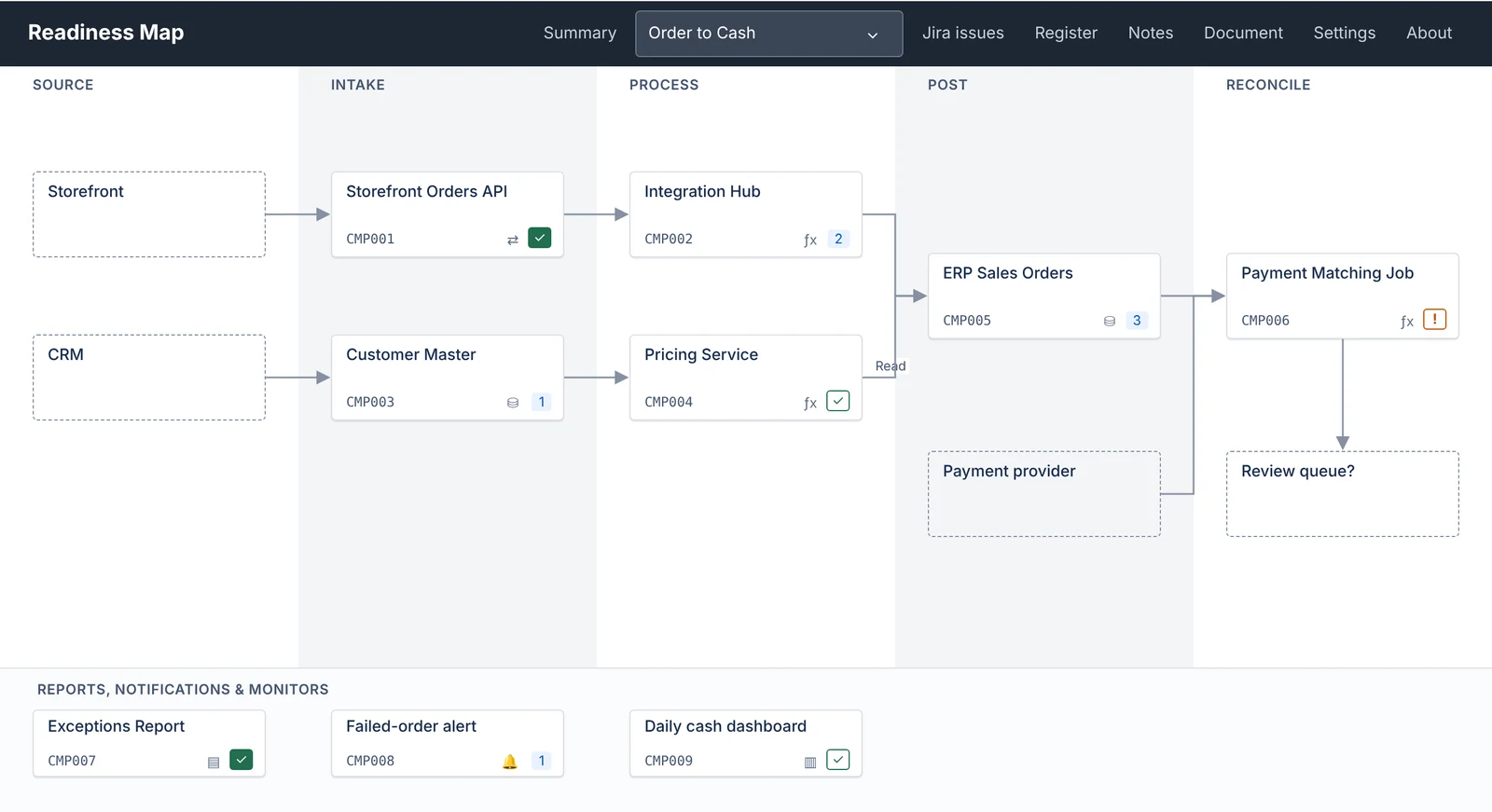
A flow diagram in Readiness Map: components in named stage columns, connected by arrows, each showing its ID, type icon, and Jira completion tick or open-ticket count, with reports and alerts in a band beneath.
A flow, drawn from the register: every box shows its live Jira position.
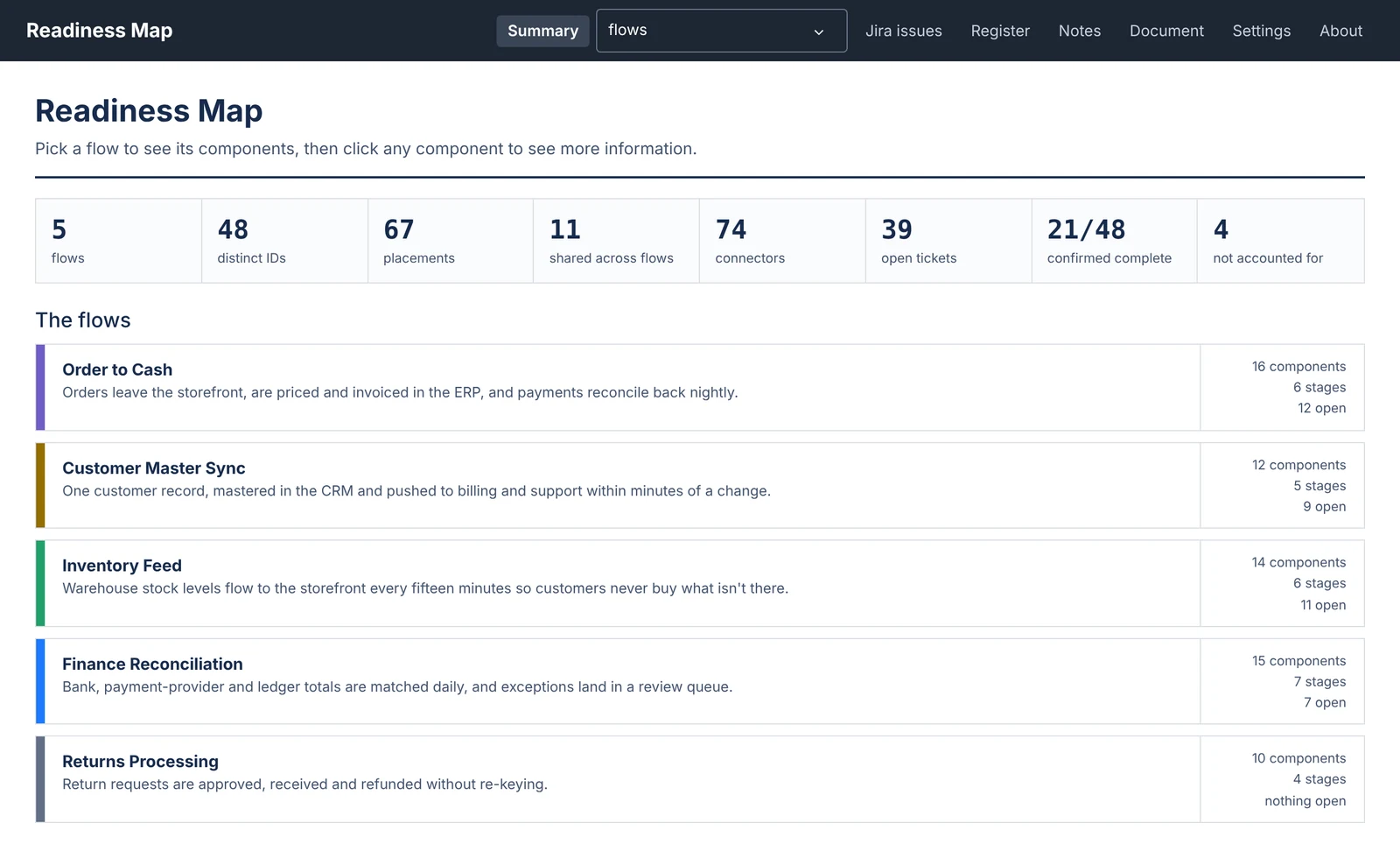
The Readiness Map summary: totals for flows, components, open tickets, and confirmed-complete components, above a card for each flow.
Every flow at a glance, including what's confirmed complete and what isn't accounted for.
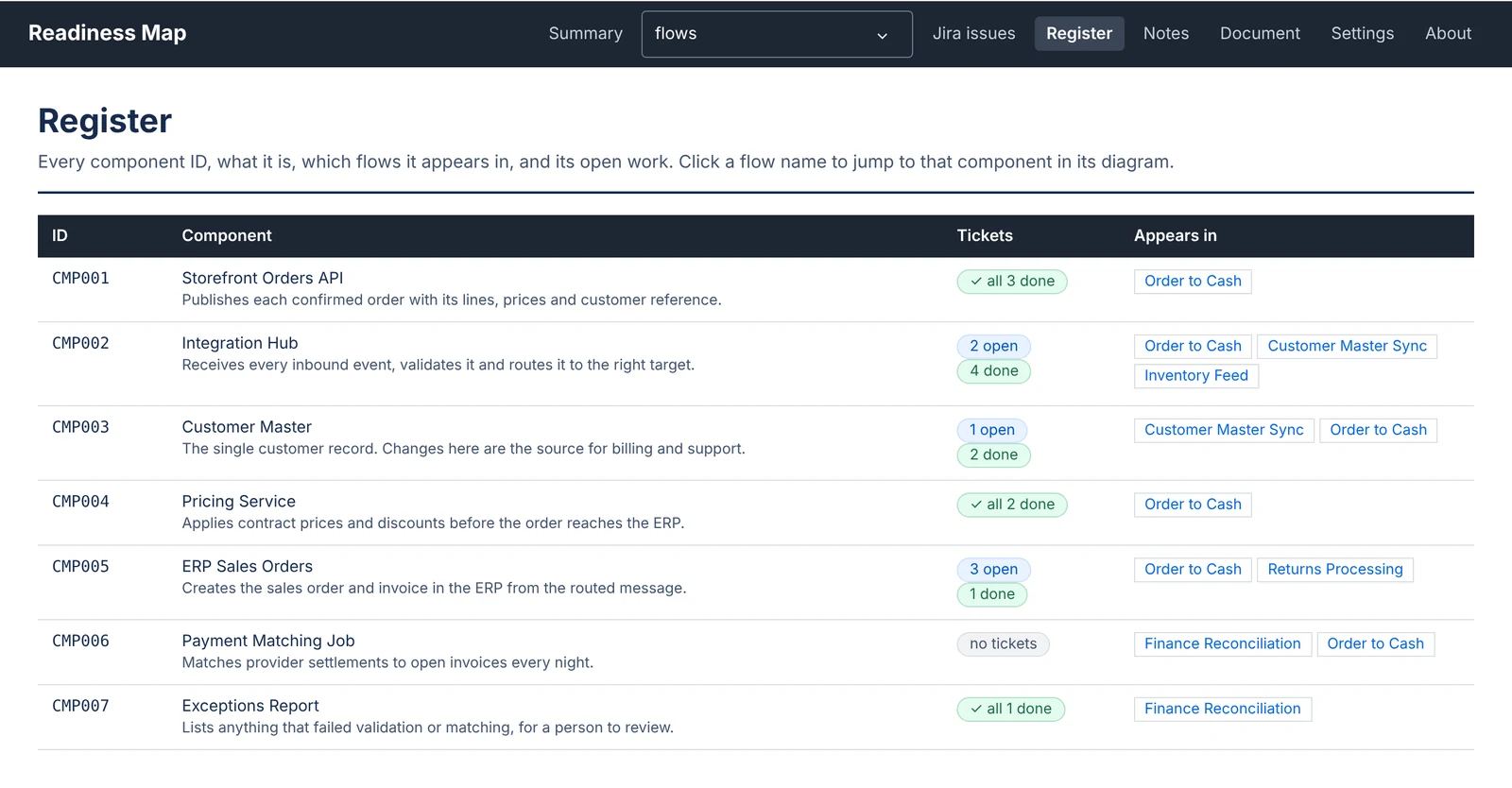
The register: each component ID with its description, ticket status, and the flows it appears in.
The register: each component held once, with its tickets and everywhere it's used.
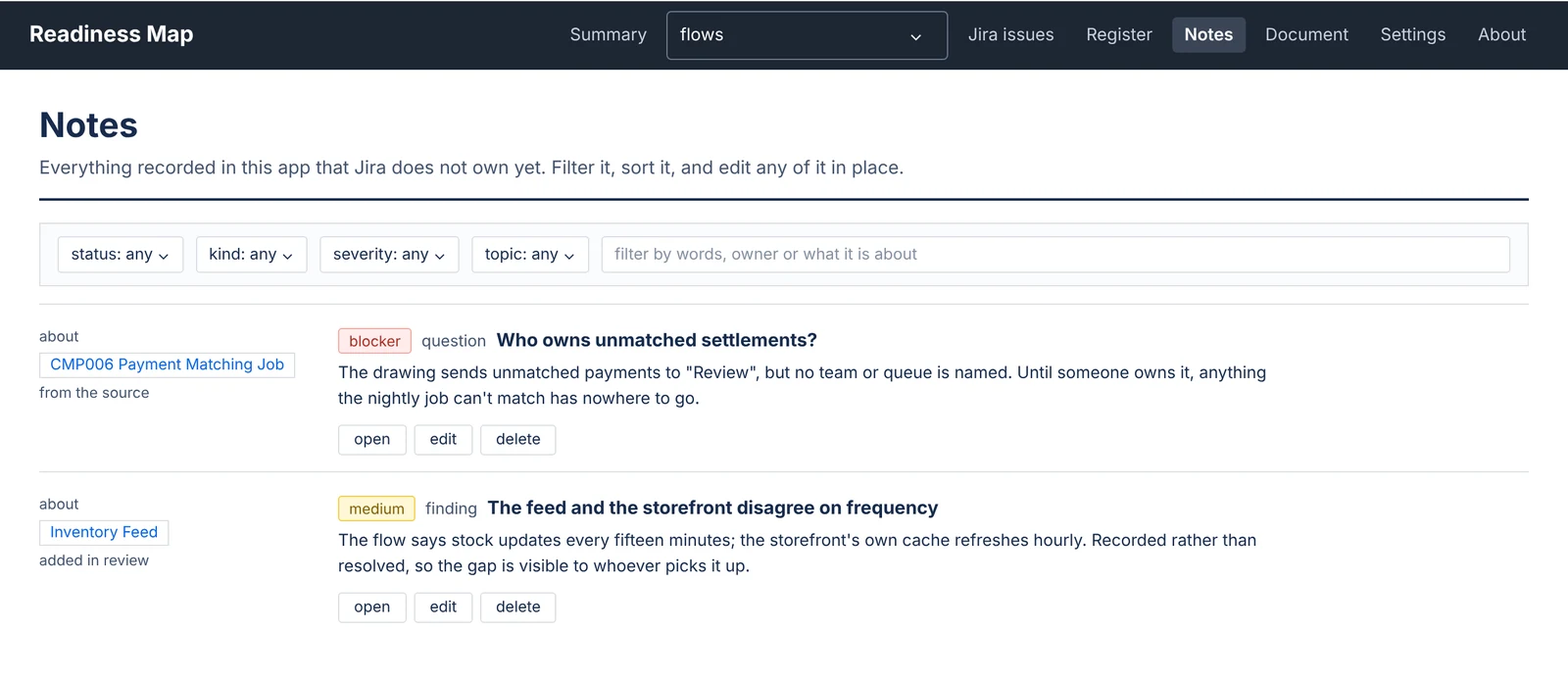
Notes in Readiness Map: a blocker question and a medium-severity finding, each tied to a component or flow.
Notes keep the questions and findings Jira doesn't own yet.
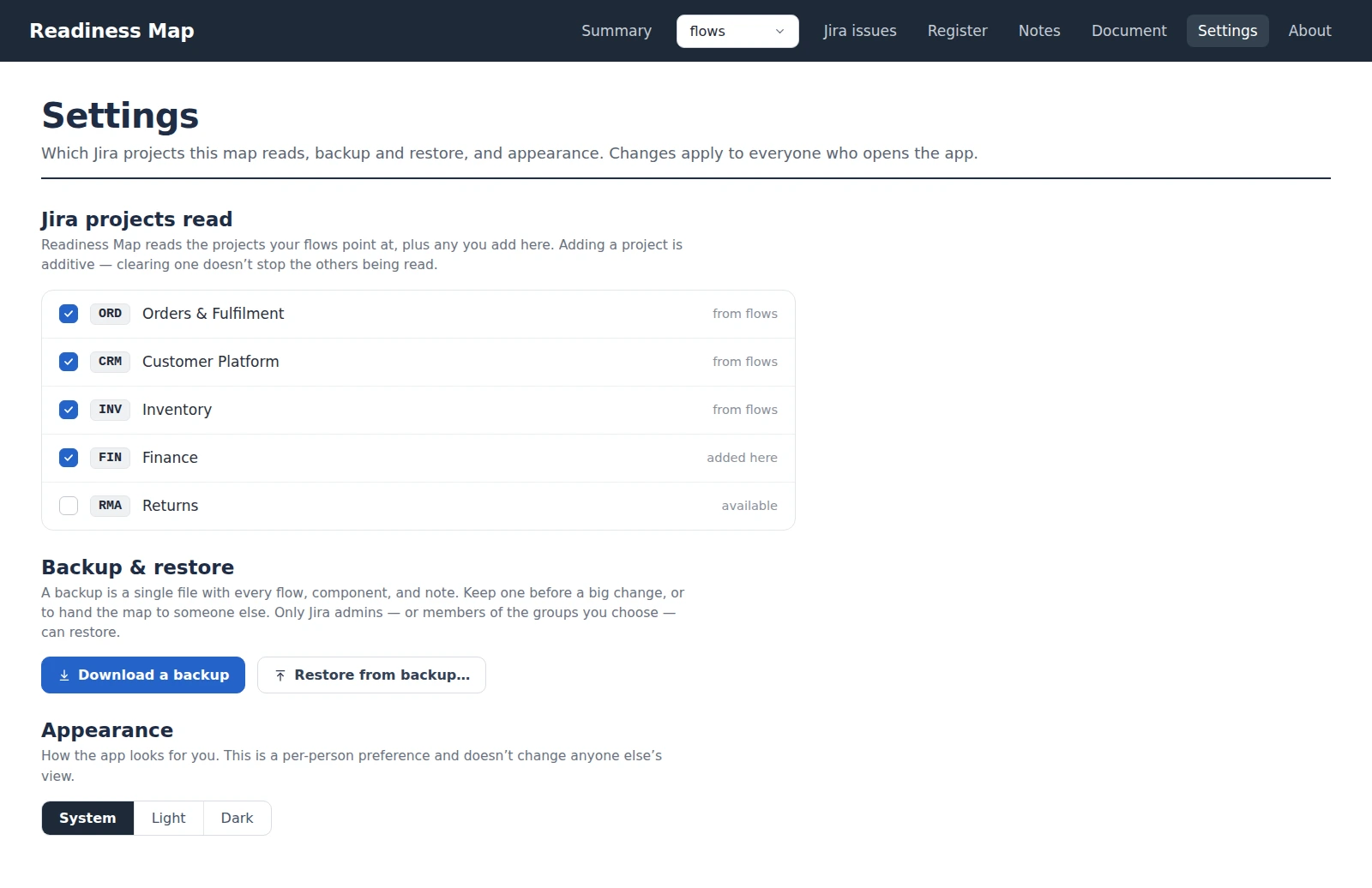
Settings in Readiness Map: the Jira projects the map reads (with checkboxes), backup and restore controls, and an appearance preference.
Settings: which projects are read, plus one-file backup and restore, and appearance.

Inside a box

Click any box and its panel opens.

Every component opens an inspector beside the diagram — what it is, what it connects to, its live Jira position, and the notes it carries. It's where you link a ticket, add a connection, or confirm a box complete.

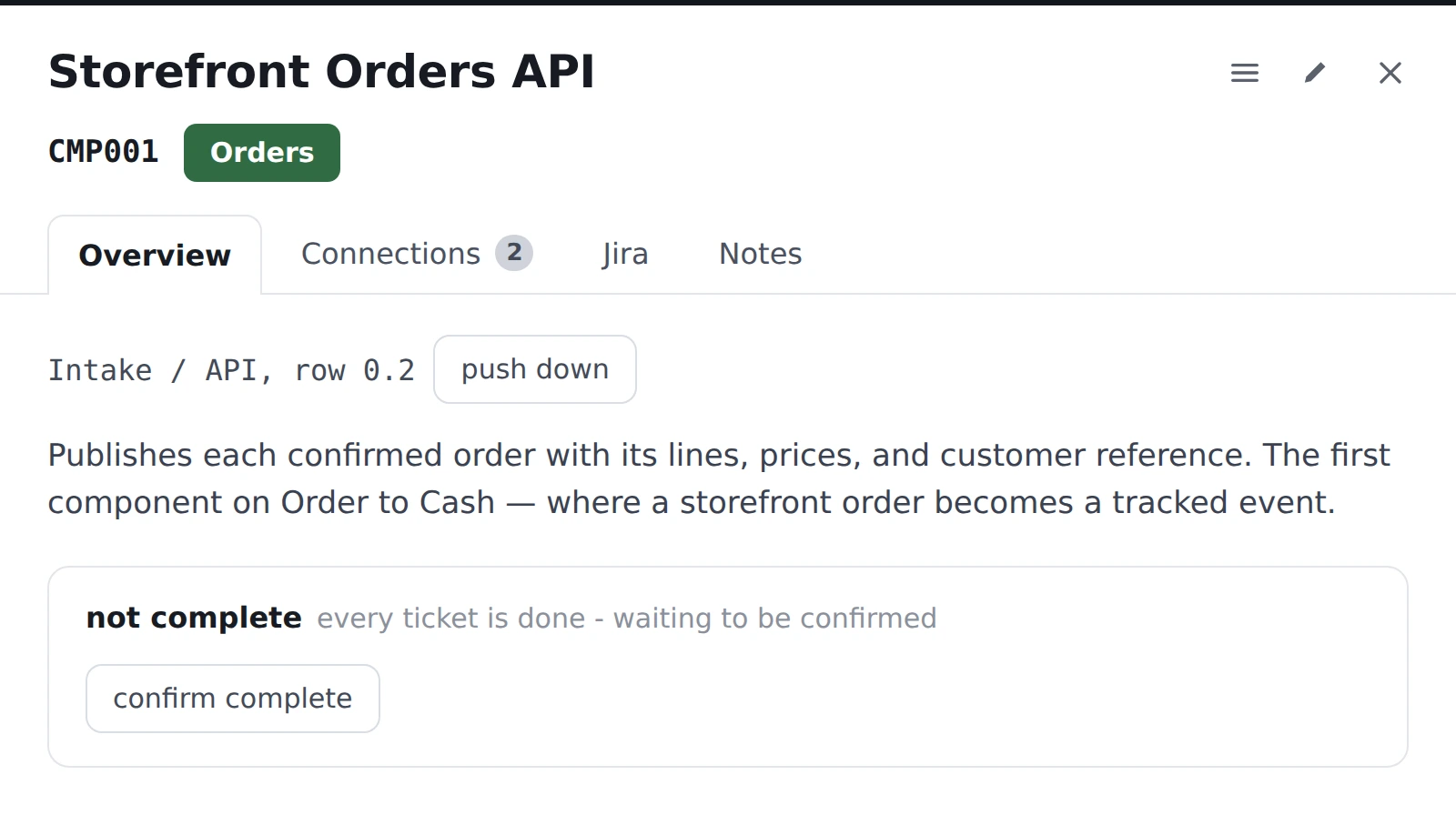
The Overview tab of a component box in Readiness Map: where it sits on the flow, a short description of what it does, and whether every ticket is confirmed complete.
Overview — what the box is, where it sits, and whether it's confirmed complete.
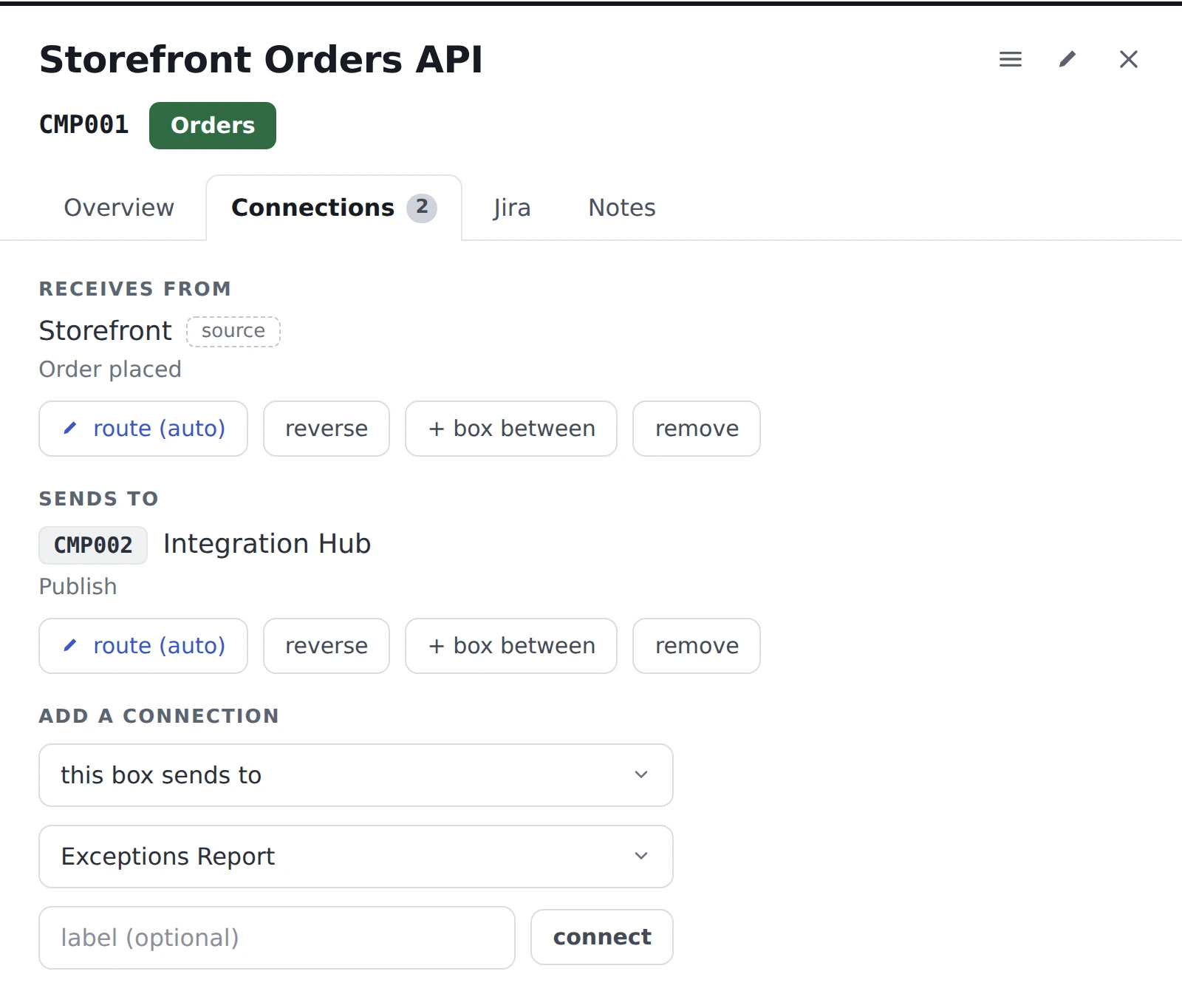
The Connections tab of a component box: what it receives from and sends to, with controls to route, reverse, insert a box between, or remove a connection.
Connections — what it receives from and sends to, and how to change that.
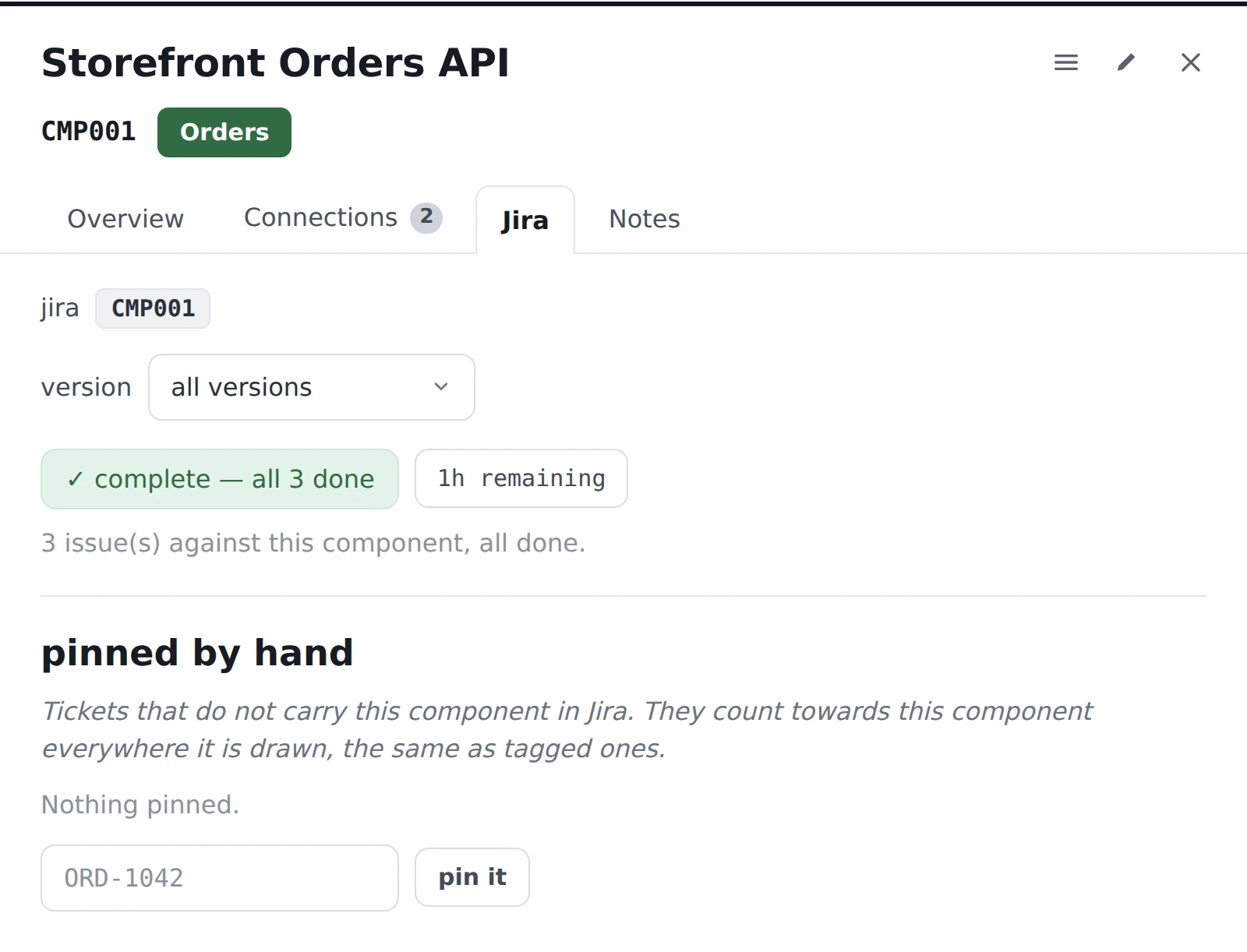
The Jira tab of a component box: its linked issues and completion for the chosen version, plus tickets you pin by hand when Jira doesn't link them.
Jira — linked issues, completion, and tickets you pin by hand.
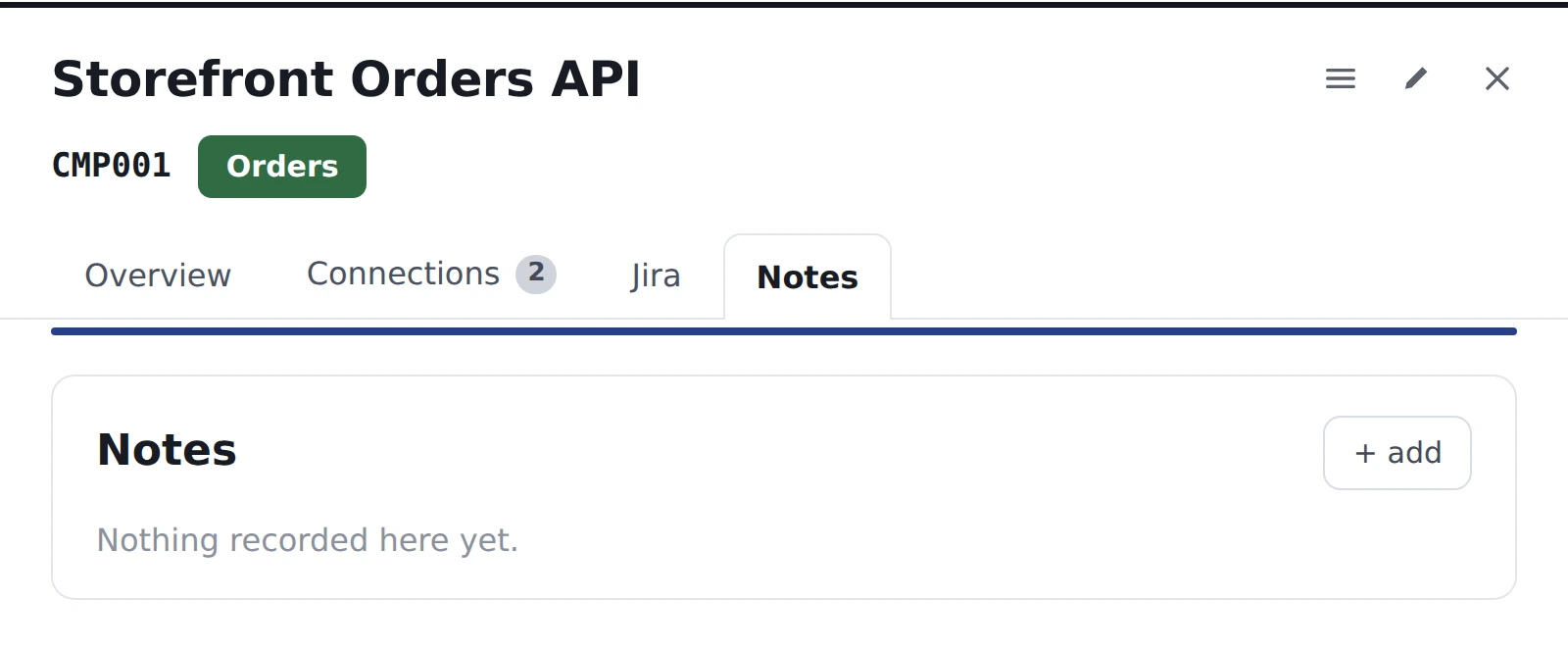
The Notes tab of a component box: questions and findings this box carries that Jira doesn't own yet.
Notes — the questions and findings this box carries that Jira doesn't own.

The problem

Readiness lives in diagrams that drift and spreadsheets no one trusts. Drawing tools give you a picture; none of them give you a record you can rely on — what each thing is, where it came from, and how ready it is across stages.

What Readiness Map does

Readiness Map keeps a registry of your components and their readiness across the stages you define, with dependencies and provenance as first-class data. The map is just a view of that record — so it's always current, traceable, and auditable.

What you get

A record you can trust, and a map that follows it.

A register, not a drawing

Every component is held once in a register, with its ID, what it is, and where it's used. A component that appears on several flows is one entry, not several, and every diagram is drawn from that register, so the picture can't drift from the record.

Flows across the stages you name

Lay each flow out in columns you name, connect the boxes, and keep reports, notifications, and monitors in a band beneath the diagram so they don't clutter it. Nothing is saved until you confirm where a box landed.

Live Jira work on every component

Each component is matched to its Jira issues through Jira's own Components field, so every box shows its live work. See every linked issue in one list with fix version, status, and assignee, and narrow the counts to a single delivery version.

Complete means confirmed

A component counts as complete only when every Jira ticket against it is closed and someone has confirmed it. A hollow tick means Jira is clear but nobody has confirmed; a solid tick means both; an exclamation mark means it was confirmed and then the work changed.

Records what the drawing doesn't say

Unnamed upstream systems, inferred connections, and ambiguous IDs are recorded, not guessed. Things outside the register are drawn dashed, and notes hold the findings, questions, and blockers that don't have a Jira ticket yet.

A document for people who won't open the app

Download a single, self-contained HTML file with every flow's diagram, purpose, business rules, and components, plus the register. It opens offline and prints cleanly to PDF. Notes stay in the app.

A backup you control

Download the whole workspace as one file and restore it whenever you need to, including onto another Jira site. You can limit restoring to a Jira group, and nothing destructive happens on a single click.

Never writes to Jira

Not a ticket, not a field, not a component. Readiness Map reads Jira under your own permissions, so it only sees issues you can already see, and everything you change is kept in the app.

Zero data egress

Forge-native, and the app declares no outbound network permission at all. Your workspace lives in Forge storage inside your own Atlassian site, so there's no sub-processor for your security team to review.

Built to pass a security review

Your data never leaves Atlassian.

Readiness Map is a Forge app with no external network calls — there's no server of ours in the path, no sub-processor, and nothing for your security team to approve beyond Atlassian itself.

  • Built on Atlassian Forge — hosted by Atlassian, not by us.
  • Zero egress: the app declares no outbound network permission; your data never leaves Atlassian.
  • Never writes to Jira, and reads only what you can already see.
  • Your workspace is stored in Forge storage inside your own Atlassian site.

More detail on the security & data handling page.

Pricing

Simple while it's early.

Free during early release. If paid plans are introduced later, existing installs will get clear, advance notice.

Be first to try Readiness Map.

We're finishing the Marketplace listing. Tell us about your Jira and we'll let you know the moment it's live.